
Econet Clocks
Unlike e.g. Ethernet, in an Econet network connected computers do not provide a clock, a clock source must be provided for the network to function.
There are two types of Econet Clock - Type 1 and 2. Type 1 Econet Clocks produce a simple square-wave clock whilst Type 2 Clocks produce a clock with a settable Mark to Space ratio.
Econet Clocks can be standalone units or built in to the Station Node or a File Server.
Type 1 Clocks
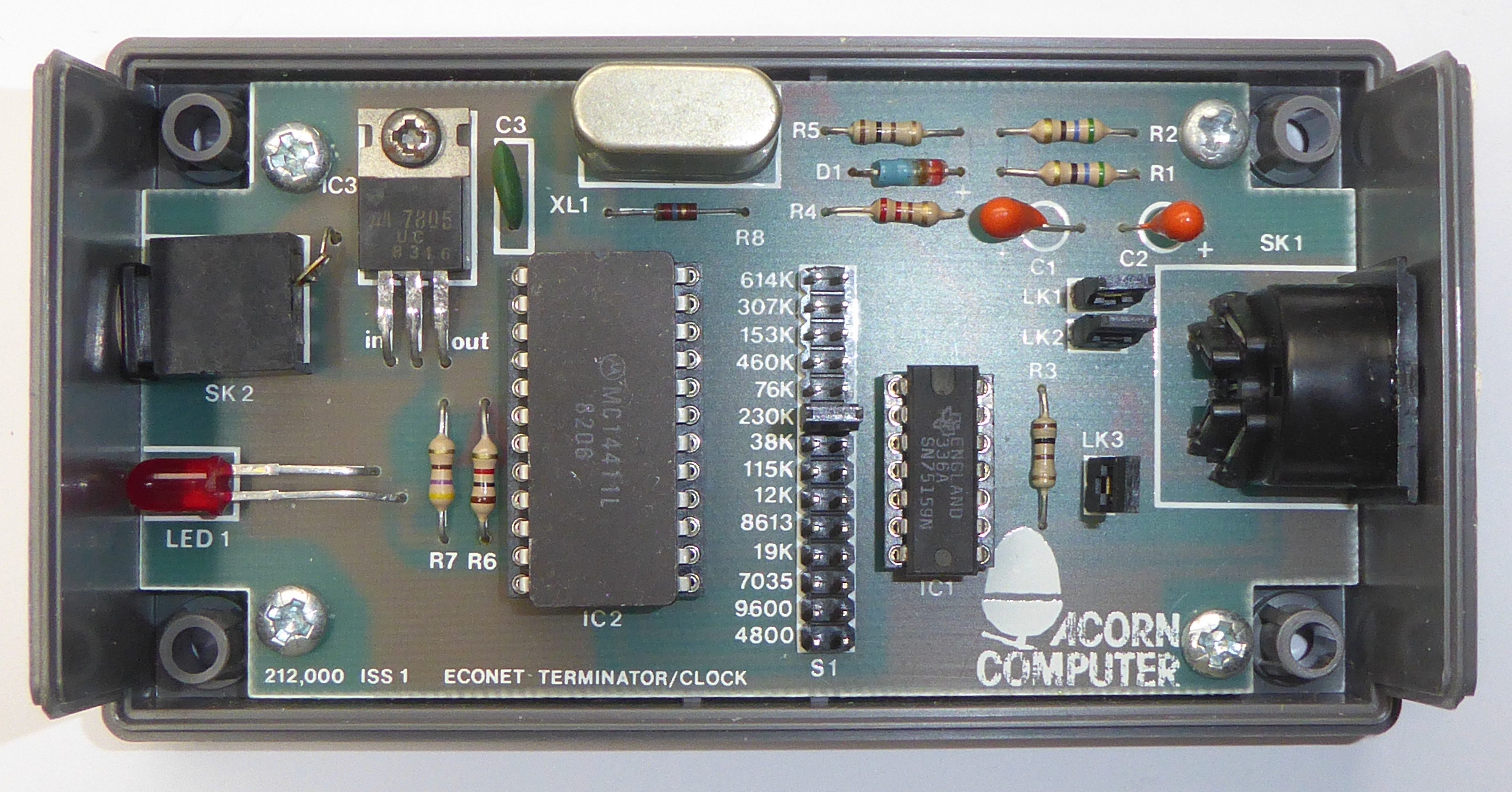
Acorn produced a Type 1 Clock & Terminator unit, part number AEH04. The PCB in this unit can be populated to be either an Econet Clock, Terminator or both. The clock is generated by an MC14411 baud rate generator IC which produces frequencies between 4800Hz and 614kHz selectable by 14 links. Further links can be fitted to terminate the Data lines (LK1 and LK2) and Clock (LK3).
Acorn Econet Clock & Terminator (AEH04) [0]
(Note: this AEH04 was originally a Terminator and I have added the Clock components)
Type 2 Clocks
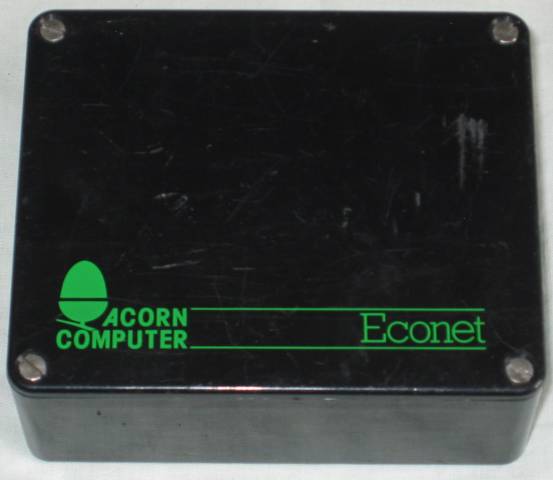
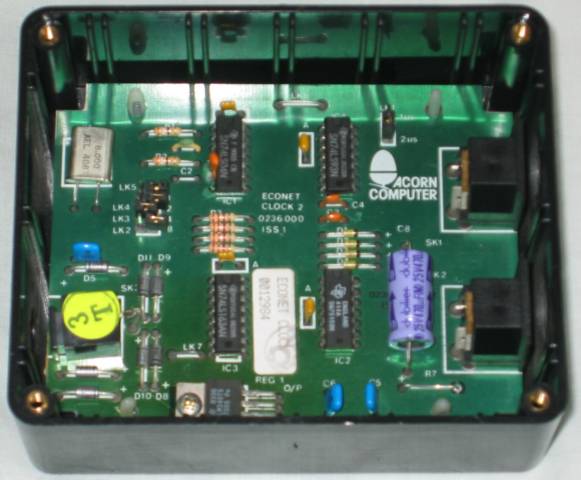
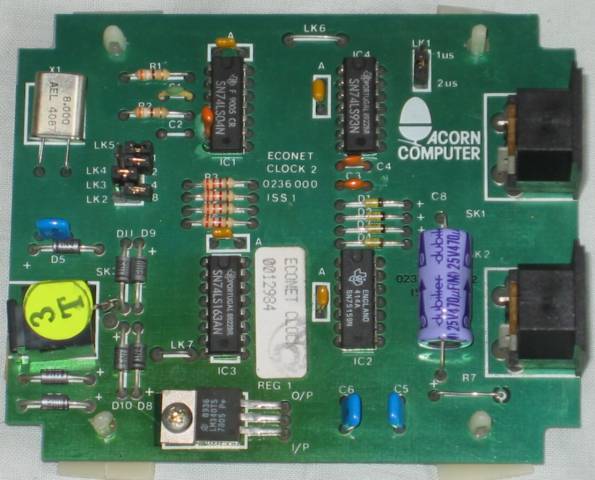
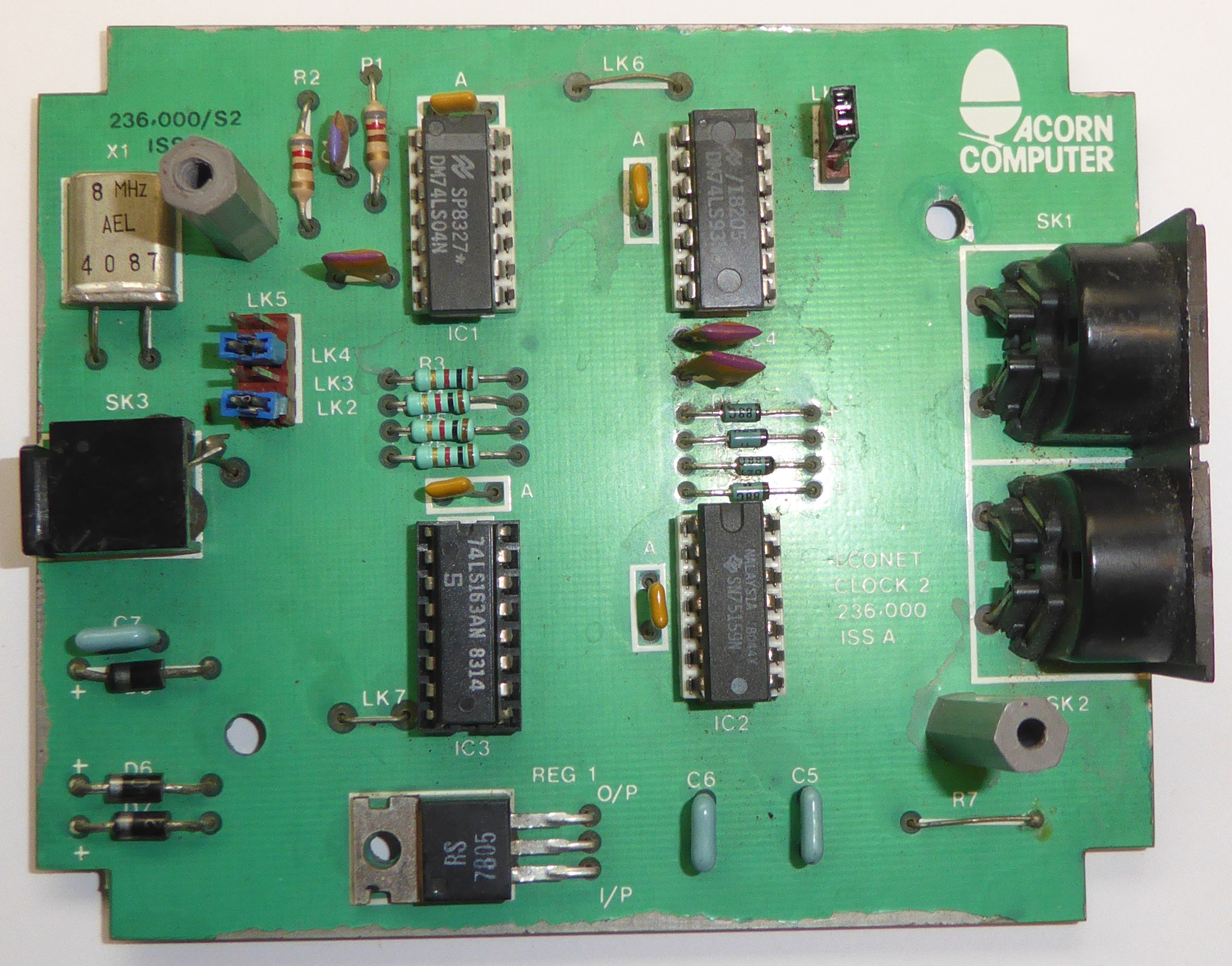
Acorn also produced a Type 2 Clock, part number 0236.000. The Mark and Space periods can be independently set by links - LK1 sets the Mark period to either 1 or 2uS whilst LK2 to 5 set the Space period multiplier between x1 and x15.
It has two Clock outputs which can be useful when connected to larger networks, the unit is then connected in the middle of the network with a Clock output going to each half of the network.
Acorn Econet Clock Type 2 0236.000 Issue 1 [2]
I haven't been able to find an original schematic for this Clock so I've drawn up my own:
This schematic was drawn up with reference to an Issue A board which had quite a bit of track cutting and linking around the 75159 and DIN sockets. It was clearly an earlier model than the photo's above, it didn't have the electrolytic capacitor and there are four extra diodes on the Issue 1 board ? I guess the important bit of the circuit, the clock generator, is the same.
Acorn Econet Clock Type 2 0236.000 Issue A

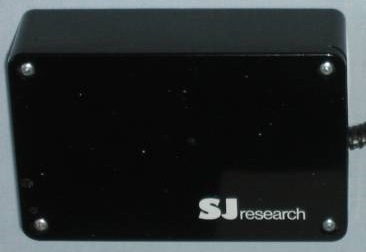
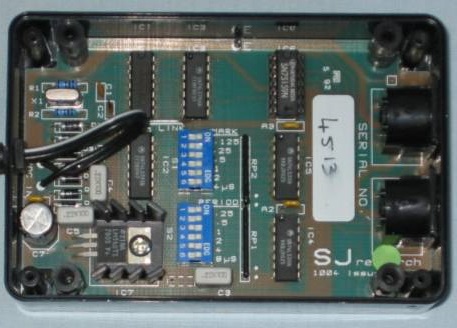
SJ Research developed a number of Econet products one of which was a Type 2 Clock. This clock is configured slightly differently to the Acorn Clock in that rather than setting the Mark and Space periods you can set the Mark period and the total Period i.e. Mark + Space. Mark can be set to between 0.25uS and 15.75uS in 0.25uS steps. The Period can be set to between 0.125uS and 7.875uS in 0.125uS steps, this equates to frequencies between 127kHz and 8MHz. Again it has two Clock outputs, but has no terminators built-in.
SJ Research Econet Clock Type 2 [2]
I have made my own Type 2 Econet Clock/Terminator/Hub largely based around the SJ Research circuit but also includes Terminators and additional sockets which means this unit is all that is needed for a small network with up to five Stations. I have now added a Eurocard version of my Type 2 Econet Clock with six sockets.
Econet Network Termination
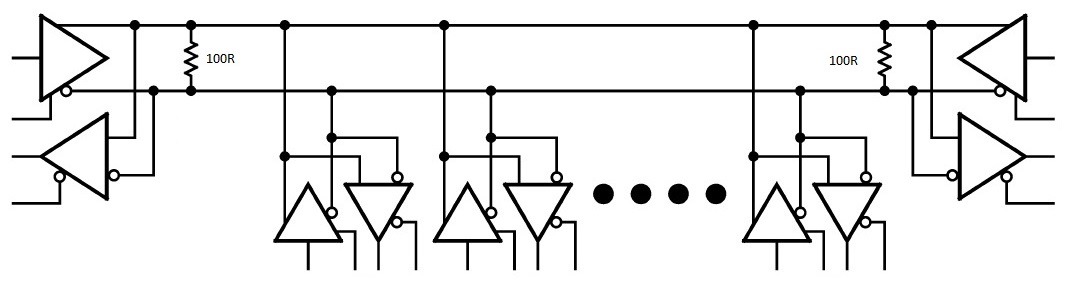
Econet's underlying RS422 requires that the differential lines are correctly terminated in 100ohms to match the recommended cable characteristics and prevent reflections. Stations are connected in a string arrangement and terminating resistors fitted across both the clock and data pair at each end, the following diagram shows just the data pair.
Fail Safe Bias
If the data pair were to be open circuit, as is the case when no stations are transmitting, then noise pickup would result in random data on the line. To a station waiting to transmit this would look like the network was busy and would prevent it from transmitting. To prevent this situation the data lines must be biased sufficiently to prevent noise switching the differential input buffers, this is known as Fail Safe Bias.
The common way of achieving Fail Safe Bias is in conjunction with Termination as shown here
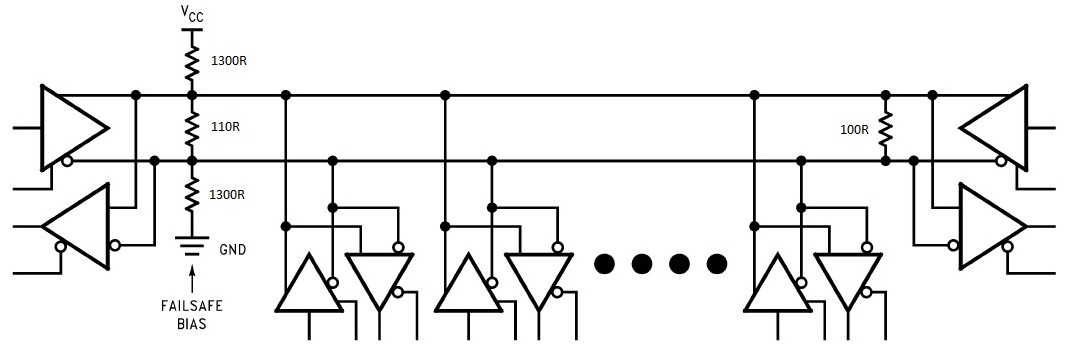
With the values shown and a Vcc of 5V a nominal 200mV bias is provided across the 110R resistor whilst the combined impedance of the three resistors remains close to 100R (actually 105R using standard E24 value resistors), the 'far' end of the network is terminated with a single resistor as previously.
The Acorn Type 1 Clock provides Fail Safe Bias actively using a potential divider arrangement consisting of two resistors and a germanium diode across the power supply which provides a bias of approximately 600mV set by the germanium diode. This termination is enabled by fitting links LK1 and 2, LK3 will put a 100ohm Termination across the Clock pair.
Where no power is avaliable then an alternative method is to generate a phantom power supply from the Clock lines and use this to bias the Data lines, this 'Passive Terminator' can even be built into a DIN plug. In the circuit below the two 56ohm resistors across the Clock generate a phantom supply across the capacitor whilst also providing a nominal 100ohm termination to the Clock lines. The potential divider arrangement formed by the 1K and 220R resistors provides a nominal 250mV bias across the Data lines whilst also providing a terminating resistance (~150ohms).
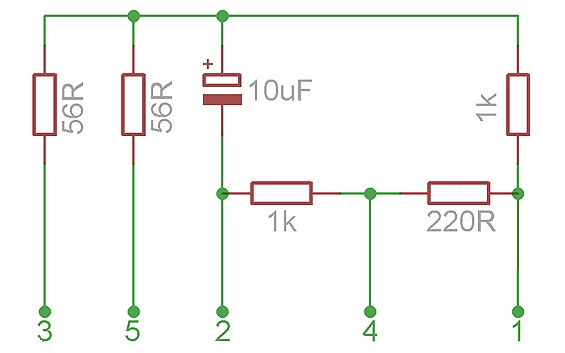
This method of termination can be used with any Clock however the Acorn and SJ Type 2 Clocks apply a nominal 2V DC bias to the Clock lines by shifting the Ground negative with a string of diodes, this provides a higher voltage to the phantom power supply of a Passive Terminator.
For small networks comprising a handful of co-located machines the impedance of the cables, positioning of the Clock and position and number of Terminators is not critical just so long as there is a Clock present and the Data lines are biased it should work fine.